

Mech Force: Precision Fighter Online
Tactical mech battles with solid teamplay. Customization adds depth to each match.
Sonic S Running Game Online Arcade Game is a 3D running game featuring a familiar blue hedgehog character from a popular franchise. Players control a version of Sonic who has just come from a bath, racing through a challenging obstacle course. The main objective is to reach the villain Dr. Eggman and jump on his head to win. The course includes various hazards such as pillars, water areas, and off-road sections that can slow you down. Springboards are placed throughout to help you reach higher platforms and shortcut zones. Collecting rings along the way boosts your score. The game is designed for all ages and can help improve reflexes, motor skills, and reaction times.
Players typically use keyboard controls to move the character. The WASD or arrow keys are used for movement, and the spacebar is used to jump over obstacles. Staying on the main path helps maintain speed and avoid hazards like pillars and water. Springboards can be used to jump higher and access shortcut routes. Rings are scattered throughout the level and should be collected to increase your score. If you get stuck or fall, you can restart the level. Your completion time is recorded, encouraging you to finish quickly and replay to improve your performance.
The game offers a 3D running experience with a variety of obstacles and hazards. Collectible rings are placed throughout the course to increase your score. Springboards provide shortcuts and access to higher platforms. The game includes timed challenges, encouraging replayability. Controls are simple and suitable for all ages. The game is part of the arcade genre, designed for quick play sessions.
Focus on staying on the main path to maintain speed and avoid obstacles. Use springboards whenever possible to reach shortcut zones and save time. Collect as many rings as you can to boost your score. Practice the course to learn the placement of hazards and shortcuts. Try to complete the level quickly and replay to beat your best time. Regular practice will help improve your reflexes and reaction times.
💻 Desktop | 📱 Mobile | 📟 Tablet – All supported · Best with Chrome or Safari
Tactical mech battles with solid teamplay. Customization adds depth to each match.
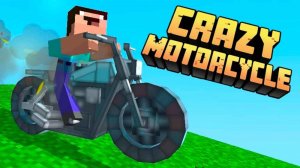
Fun arcade racing with a Minecraft look. Easy controls and lots of levels to master.

Charming memory game with cute jellies. Levels get harder gradually, keeping it fun without frustration.

Clean design and smooth gameplay. Great for short breaks and improving reflexes.
A calming and creative puzzle game. Simple controls and a relaxing pace make it perfect for unwinding.
Charming and simple jumping game. Great for quick, family-friendly fun with a cute story.
Clean design and smooth gameplay. Great for short breaks.

Smooth controls and bright visuals. A great way to test your reflexes during short breaks.
Simple mouse controls and a fun army-building mechanic. Great for quick gaming breaks.
Simple controls and colorful graphics make this a pleasant choice for quick arcade fun.