
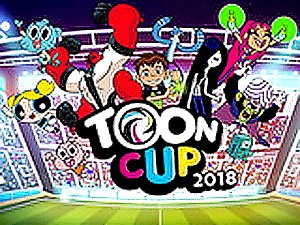
Toon Cup 2018 Arcade Soccer
Fun football game with Cartoon Network characters. Simple controls and safe for kids. Great for family play.
Darwin's Yearbook is a cheerful online adventure game set in Elmore Junior High. The story begins when Principal Nigel Brown asks Darwin to create the school yearbook. To complete this fun mission, Darwin teams up with his best friend Gumball. Together, they explore the school to take memorable photos of classmates and locations. The game combines puzzle solving with creative photography, offering a family-friendly experience for players of all ages. It encourages teamwork and creativity in a bright, colorful school setting.
Players control both Darwin and Gumball, each with unique abilities. Gumball is strong and can jump high to reach high places or move heavy objects. Darwin is artistic and takes pictures. You must switch between the two characters to overcome obstacles and capture the best moments. The controls are simple and easy to learn, making the game accessible for kids. Explore different areas of the school, from classrooms to the playground, and use each character's skills wisely to progress.
Creative photo-taking mechanics let you frame and capture images of students and scenes. Character switching requires teamwork to solve puzzles. Simple controls are easy for children to learn. Bright, colorful graphics match the cheerful school setting. Multiple school areas are available to explore, including classrooms, hallways, and the playground. The game offers a positive, safe experience with satisfying puzzles that are not too frustrating.
To make the most of your adventure, practice switching between Darwin and Gumball frequently to understand their unique abilities. Explore every area of the school thoroughly to find all photo opportunities. Take your time with puzzles and think about which character's skill is needed. Experiment with different camera angles to capture creative shots. Playing cooperatively with a friend can make teamwork easier and more fun.
Fun football game with Cartoon Network characters. Simple controls and safe for kids. Great for family play.
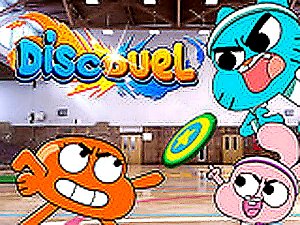
Bright cartoon graphics and simple controls. Quick matches are perfect for short breaks.

Simple aiming mechanics and bright visuals. Great for quick puzzle sessions with familiar characters.
Charming puzzle game with a creative photo-taking twist. Great for kids and families.
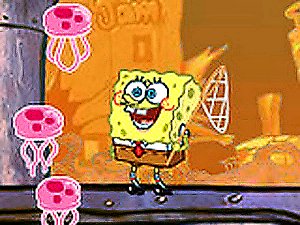
Simple controls and bright visuals. A fun, safe challenge for SpongeBob fans of any age.